Connect Search Console & GA4
Connect your Google Search Console and GA4 properties so Kleverish can bring search performance, rankings, and website traffic data into your dashboard.
Why it matters: Without a linked Search Console and GA4 property, audit and keyword reports fall back to estimated data instead of your site's real search and traffic performance.
Before you start
- A Google account already connected to Kleverish
- A verified property in Search Console for the domain you want to track
- A GA4 property (not the older Universal Analytics) set up on the same site
Step-by-step
-
1
Open Search Console & GA4
Go to Settings → Google Integrations and open the Search Console & GA4 tab.
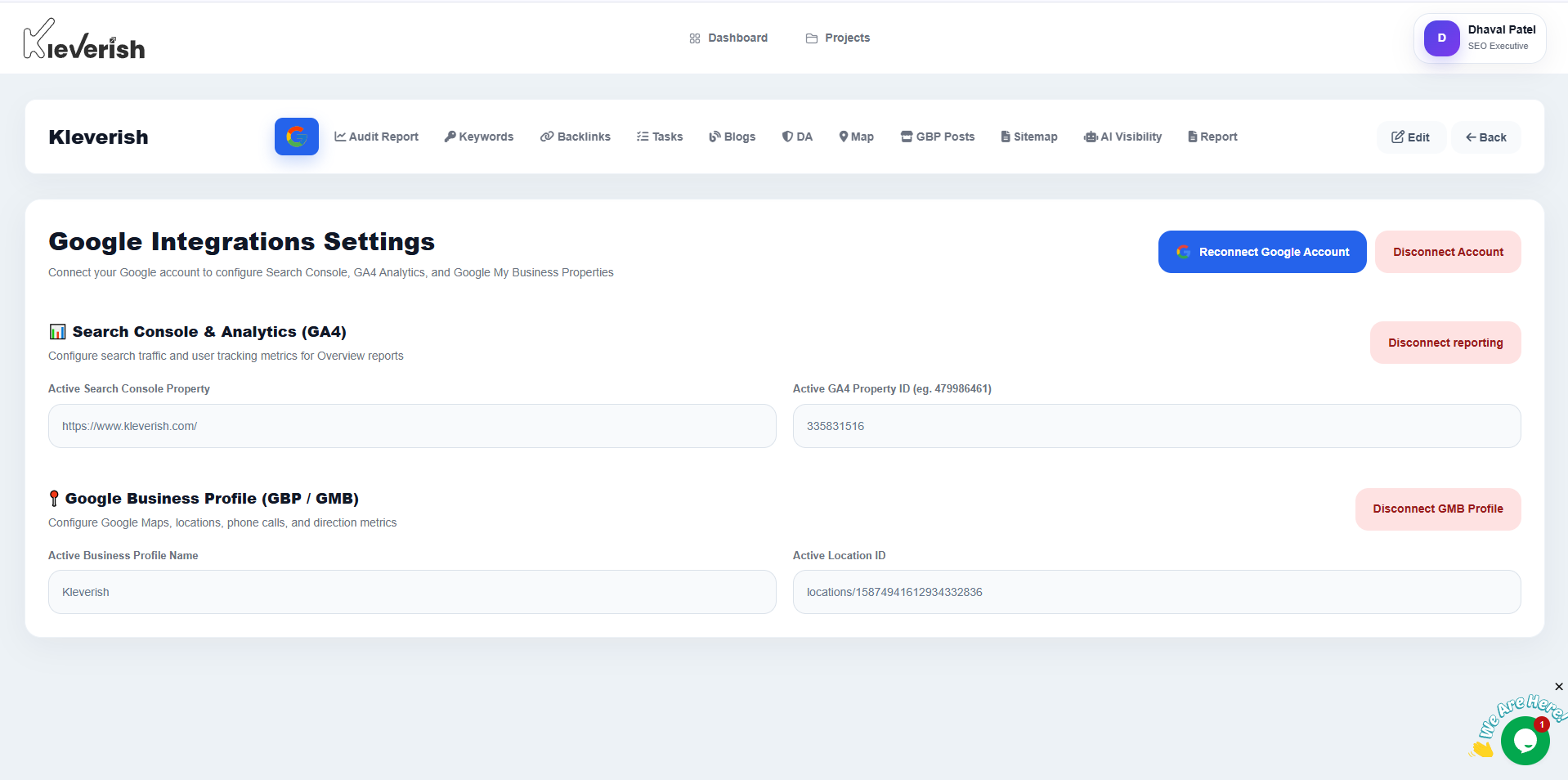
Search Console & GA4 fields in the Kleverish Google Integrations settings -
2
Select your Search Console property
Choose the verified property that matches your website and click Link Property.
-
3
Select your GA4 property
Select the matching GA4 property and data stream, then click Link Property.
-
4
Confirm Data Sync
Check that both properties show a Synced status. Initial Search Console data may take up to 48 hours to appear.
Expected result
Search Console impressions/clicks and GA4 sessions/traffic populate your audit reports, keyword tracking and dashboard overview.
Helpful tips
- If your site has both a domain-level and a URL-prefix property in Search Console, the domain-level property usually gives the most complete data.
- Link the GA4 property, not a legacy Universal Analytics property — Kleverish does not read UA data.
- You can re-link a different property at any time without disconnecting your Google account.
Common mistakes
- Linking a Search Console property for a different domain than the one added in Kleverish — the two must match exactly.
- Expecting Search Console data to appear instantly; Google typically takes 24–48 hours to backfill a freshly linked property.
- Picking the wrong GA4 data stream on a property that has multiple streams (e.g. web and app).
Troubleshooting
Search Console data isn't showing up
Confirm the connected Google account is listed as a verified owner or user in Search Console for that exact property, then allow up to 48 hours for the first sync.
GA4 property doesn't appear in the list
Make sure the connected Google account has at least Viewer access on the GA4 property, and that the property is GA4 (not Universal Analytics).
Related guides
Try this in your own dashboard
Full platform access, no credit card.