Bring All Your Google Data Together
Connect Google Search Console, Google Analytics 4 and Google Business Profile to Kleverish in a few clicks. Once connected, every module pulls real ranking, traffic and local-listing data straight from your own Google account — no manual exports, no spreadsheets.
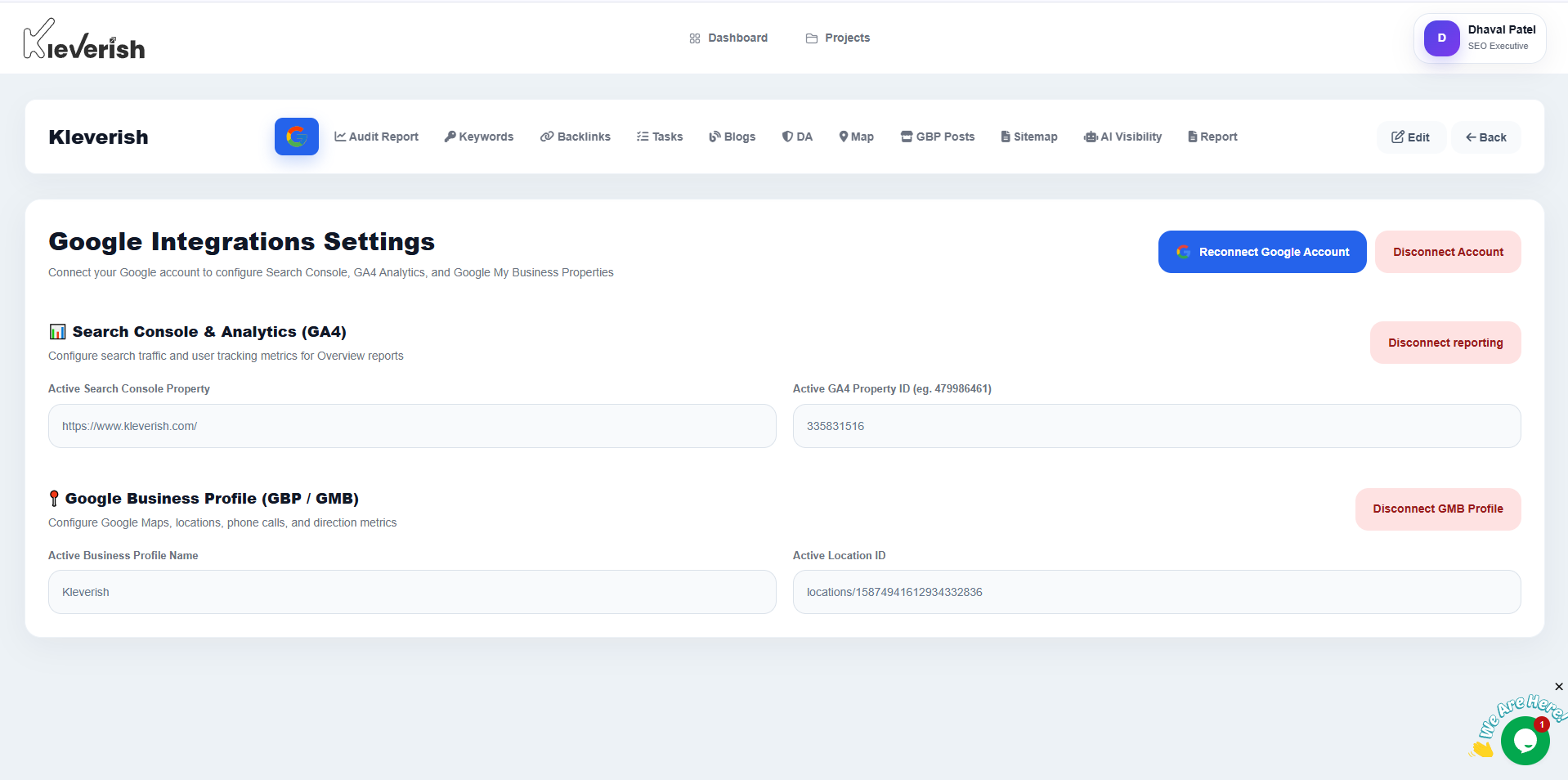
Explore Your Google Integration Dashboard
One settings panel for every Google property connected to this project — connection status, quick reconnect, and per-property disconnect.
Search Console
Verified property, connected account, and connection status.
Analytics 4
Selected GA4 property feeding traffic data into your reports.
Business Profile
Connected location, Location ID, and Map Rank Tracker sync.
Connect Your Google Properties in Minutes
From a bare project to fully synced Google data in three steps.
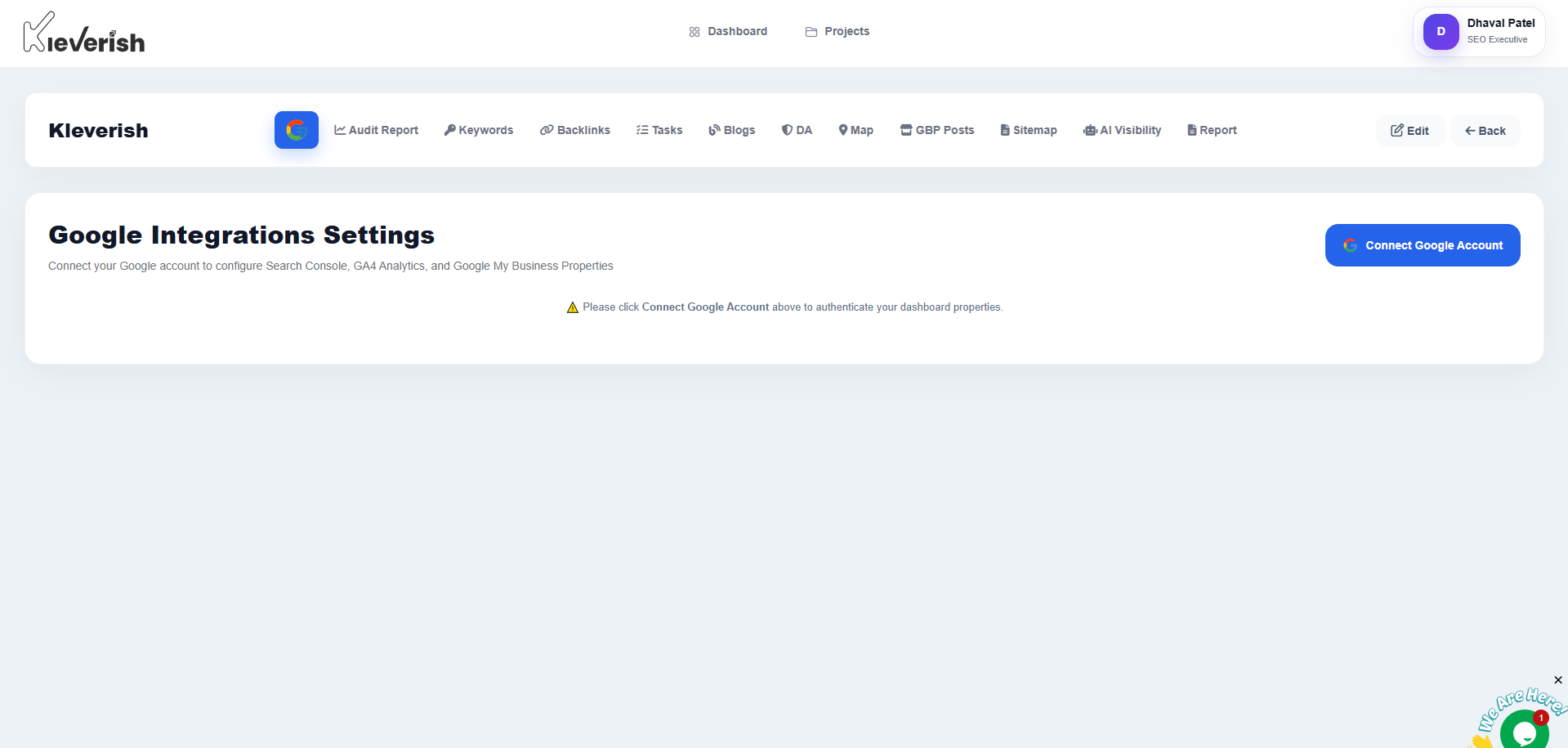
Connect your Google account
Open Google Integrations Settings and select Connect Google Account. You'll be redirected to Google's own sign-in and consent screen, where you choose the account that has access to your Search Console, GA4 and Business Profile.
- Standard Google OAuth consent — Kleverish never sees your password
- A warning banner appears here if the account isn't connected yet
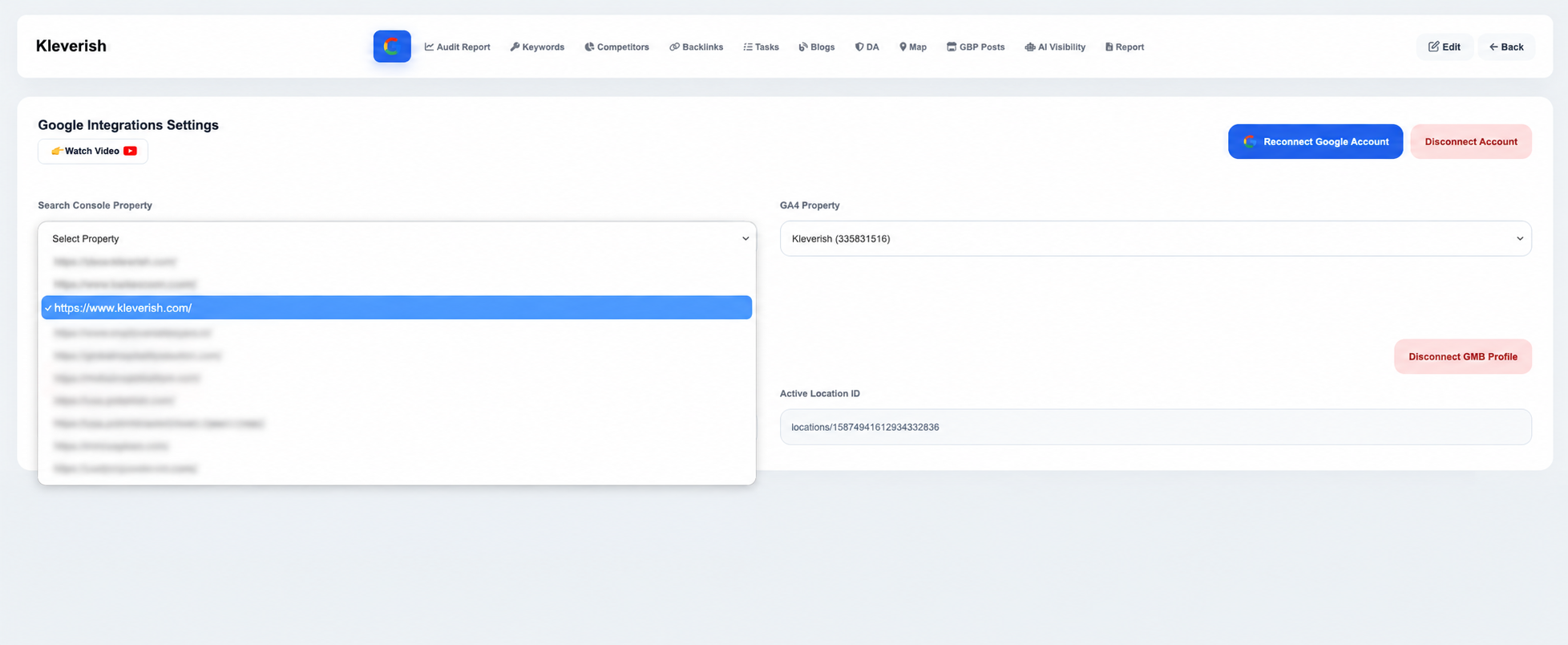
Pick your properties and location
Once connected, pick the exact Search Console property and GA4 property for this site from a dropdown, then select the Google Business Profile location to sync — matched by name and Location ID so multi-location accounts don't get mixed up.
- Search Console and GA4 properties listed straight from your Google account
- Business location matched by name and unique Location ID
- Save each property independently once selected
Reconnect or disconnect anytime
Data syncing automatically after that — keyword positions from Search Console, traffic from GA4, and local visibility from Business Profile. If access ever expires, a Reconnect button appears; you can also Disconnect a single property without affecting the others.
- Disconnect any one property without losing the rest
- Reconnect with the same or a different Google account
Turn Google Data Into Smarter Insights
Real data from the source, not estimates.
Real Search Console data
Actual impressions, clicks and average position, not estimated rankings.
Traffic in context
GA4 sessions and conversions sit next to audit and keyword data, in one report.
Local listing sync
Business Profile connection powers Map Rank Tracker and GBP Post Generator.
Secure OAuth connection
Standard Google sign-in and consent — your password is never shared with Kleverish.
Reconnect in one click
Expired access shows a clear warning and a one-click reconnect flow.
Works across every module
One connection feeds Audit Report, Keywords, Map Rank Tracker and Report Builder.
Common connection errors
Most Google Integrations issues come down to account access, not Kleverish. Here's what to check first.
Property not listed
The connected Google account isn't added as a user on that Search Console or GA4 property. Add it in Google, then reconnect.
Business location missing
The account isn't a manager or owner on that Business Profile, or the location has a different Location ID than expected.
Access expired warning
Google revoked the token, often after a password change or security review. Use Reconnect to restore the connection.
Data not syncing
Confirm the correct property is selected and saved in each dropdown — a saved connection with the wrong property looks identical to a broken one.
Built for Teams That Depend on Google Data
Every plan supports multiple projects, each with its own connected properties.
Agencies
Connect each client's own Search Console, GA4 and Business Profile without sharing account passwords.
Local businesses
Sync one Business Profile location to power Map Rank Tracker and GBP Post Generator together.
In-house SEO teams
Bring real Search Console and GA4 data into every audit and report without exporting a single CSV.
Get More Value From Your Connected Google Tools
Frequently Asked Questions
Still Need Assistance?
Help CenterGuides for every module Contact SupportReplies within 24 hoursConnect Your Google Account and Get Started
Start your free 7-day trial and sync Search Console, GA4 and Business Profile in minutes — no credit card required.